> ## Documentation Index
> Fetch the complete documentation index at: https://learn.ageno.ai/llms.txt
> Use this file to discover all available pages before exploring further.
# Agents
> Create, edit, and organize agents tailored to your tasks.
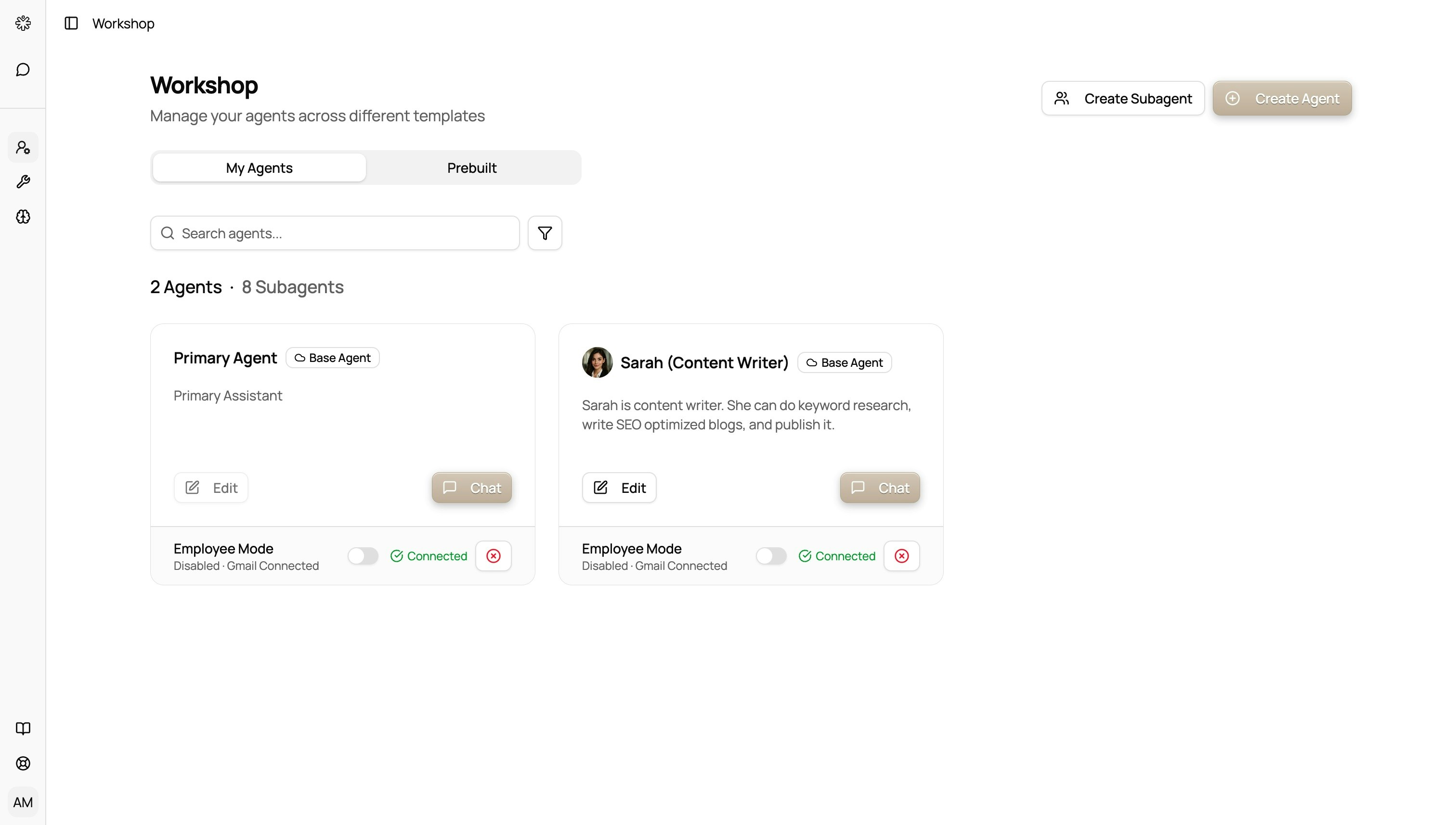 Go to Agents to browse all agents or create new ones.
## All Agents
* View agents you own and templates provided for you.
* Open an agent to see details and start a chat using that agent.
## Create
* Choose a template (research, tools, supervisor, etc.).
* Name your agent and set a short description.
* Optional: select a default knowledge collection and tools.
* Save to use it instantly in Chat.
## Tips
* Keep descriptions specific so the agent knows its role.
* Use different agents for different workflows (e.g., “Researcher”, “Email Assistant”).
Go to Agents to browse all agents or create new ones.
## All Agents
* View agents you own and templates provided for you.
* Open an agent to see details and start a chat using that agent.
## Create
* Choose a template (research, tools, supervisor, etc.).
* Name your agent and set a short description.
* Optional: select a default knowledge collection and tools.
* Save to use it instantly in Chat.
## Tips
* Keep descriptions specific so the agent knows its role.
* Use different agents for different workflows (e.g., “Researcher”, “Email Assistant”).