> ## Documentation Index
> Fetch the complete documentation index at: https://learn.ageno.ai/llms.txt
> Use this file to discover all available pages before exploring further.
# Chat
> Converse with agents, configure them in real-time, and test your changes.
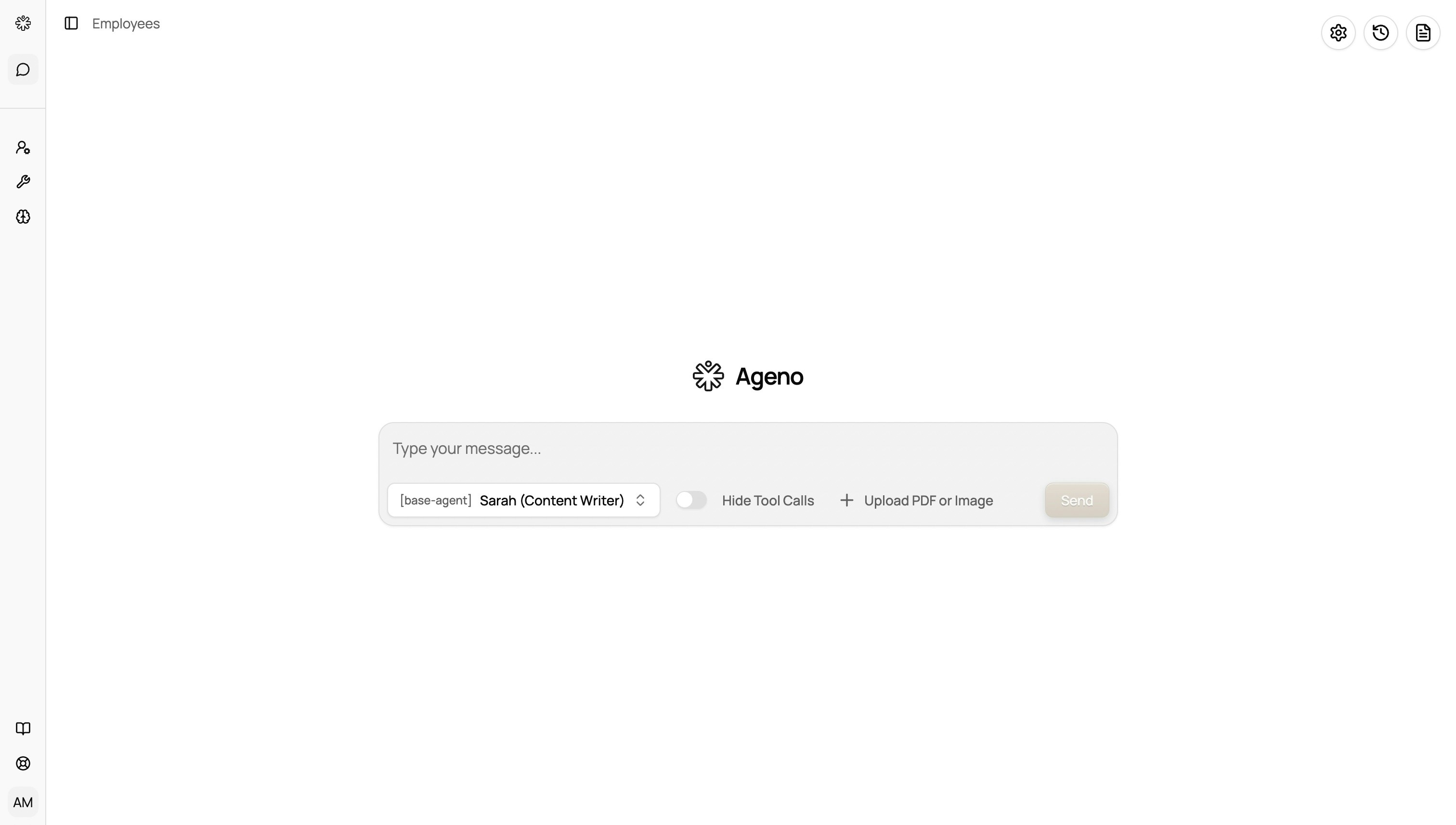 This is where you speak to your agent, test configurations, and manage your ongoing conversations. It's the primary workspace for agent interaction and live editing.
## Basics
* **Switch agent**: Use the agent picker at the top to choose which agent answers.
* **Files**: Click Files to upload documents, images, or data for the current thread. You can manage and organize files here for agent reference.
* **History**: Open History to view and reopen past threads.
* **Config**: Adjust per‑chat options like temperature or system prompts when available.
## Configuration Sidebar
The configuration sidebar is your control center for live agent editing. Here you can:
* **Change tools**: Add, remove, or modify the tools your agent can access
* **Assign sub-agents**: Delegate specialized tasks to sub-agents (e.g., writing, research, analysis)
* **Update knowledge base**: Switch or modify the knowledge sources the agent can reference
* **Edit prompts**: Adjust system prompts and instructions to customize agent behavior
* **Live testing**: Make changes and immediately test them by chatting with the agent
## Tips
* Ask for step‑by‑step outputs or tables to make results easy to review.
* Share context: upload relevant files before asking.
* Experiment with different configurations in the sidebar and test immediately in chat.
* Save successful configurations for reuse across different agents.
This is where you speak to your agent, test configurations, and manage your ongoing conversations. It's the primary workspace for agent interaction and live editing.
## Basics
* **Switch agent**: Use the agent picker at the top to choose which agent answers.
* **Files**: Click Files to upload documents, images, or data for the current thread. You can manage and organize files here for agent reference.
* **History**: Open History to view and reopen past threads.
* **Config**: Adjust per‑chat options like temperature or system prompts when available.
## Configuration Sidebar
The configuration sidebar is your control center for live agent editing. Here you can:
* **Change tools**: Add, remove, or modify the tools your agent can access
* **Assign sub-agents**: Delegate specialized tasks to sub-agents (e.g., writing, research, analysis)
* **Update knowledge base**: Switch or modify the knowledge sources the agent can reference
* **Edit prompts**: Adjust system prompts and instructions to customize agent behavior
* **Live testing**: Make changes and immediately test them by chatting with the agent
## Tips
* Ask for step‑by‑step outputs or tables to make results easy to review.
* Share context: upload relevant files before asking.
* Experiment with different configurations in the sidebar and test immediately in chat.
* Save successful configurations for reuse across different agents.