> ## Documentation Index
> Fetch the complete documentation index at: https://learn.ageno.ai/llms.txt
> Use this file to discover all available pages before exploring further.
# Employee Mode
> Enable autonomous email communication and task management.
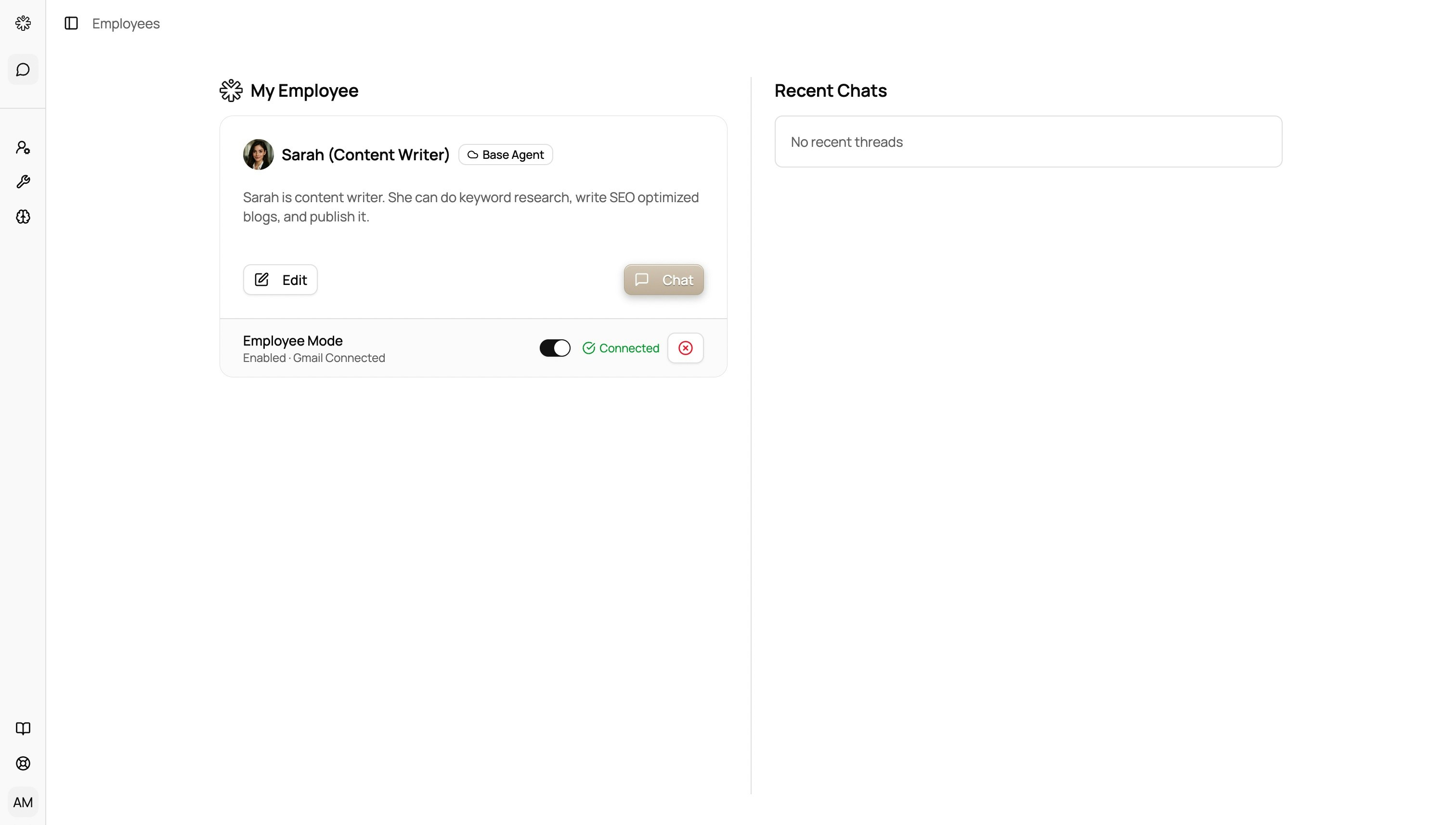 Employee Mode allows agents to autonomously listen for incoming emails and send responses from your connected email address, turning them into virtual assistants that work independently.
## How it works
* **Email Integration**: Connect your Gmail account to enable inbox access
* **Autonomous Communication**: Agents can listen for incoming messages and respond automatically
* **Task Management**: Agents handle complex workflows end-to-end without constant supervision
* **Virtual Files**: Agents create and manage virtual files to track progress and maintain context
## Setting up Employee Mode
1. Navigate to an agent's configuration
2. Connect your Gmail account
3. Set email preferences and response guidelines
4. Define the agent's scope and communication style
## Use cases
* **SEO Blog Writing**: Sarah can research keywords, write content, and manage publishing schedules
* **Customer Support**: Handle common inquiries and escalate complex issues
* **Project Management**: Track tasks, send updates, and coordinate with team members
* **Content Creation**: Research, draft, edit, and publish content autonomously
## Best practices
* Start with clear instructions and guidelines
* Regularly review agent performance and communications
* Set appropriate boundaries for what the agent can and cannot do
* Monitor email responses initially to ensure quality
Employee Mode allows agents to autonomously listen for incoming emails and send responses from your connected email address, turning them into virtual assistants that work independently.
## How it works
* **Email Integration**: Connect your Gmail account to enable inbox access
* **Autonomous Communication**: Agents can listen for incoming messages and respond automatically
* **Task Management**: Agents handle complex workflows end-to-end without constant supervision
* **Virtual Files**: Agents create and manage virtual files to track progress and maintain context
## Setting up Employee Mode
1. Navigate to an agent's configuration
2. Connect your Gmail account
3. Set email preferences and response guidelines
4. Define the agent's scope and communication style
## Use cases
* **SEO Blog Writing**: Sarah can research keywords, write content, and manage publishing schedules
* **Customer Support**: Handle common inquiries and escalate complex issues
* **Project Management**: Track tasks, send updates, and coordinate with team members
* **Content Creation**: Research, draft, edit, and publish content autonomously
## Best practices
* Start with clear instructions and guidelines
* Regularly review agent performance and communications
* Set appropriate boundaries for what the agent can and cannot do
* Monitor email responses initially to ensure quality